

Relationships are used in Student, Supervisor, and Peer Surveys to create different forms of surveys. For example, a relationship of Teacher is often used for Student Survey forms and a relationship of Coach might be used when creating surveys for athletes to provide feedback for their coach.
You can access the Relationship Manager page via the “Manage” dropdown menu by selecting “Survey Manager." Under Relationships, click the Relationship Manager.
To add a Relationship:
- Select “ADD RELATIONSHIP”
- Edit the Employee Term, Student Term, and Grouping Term
- The Employee Term is referenced in the Survey Manager to create a Survey Form
- Employee Term example: Teacher
- Student Term example: Student
- The Grouping Term is used when importing Courses
- Grouping Term example: Class
You can add additional Relationships by selecting the “ADD RELATIONSHIP” button. Likewise, you can delete a Relationship by selecting the trashcan in the upper right hand corner of the box containing the one you wish to remove.
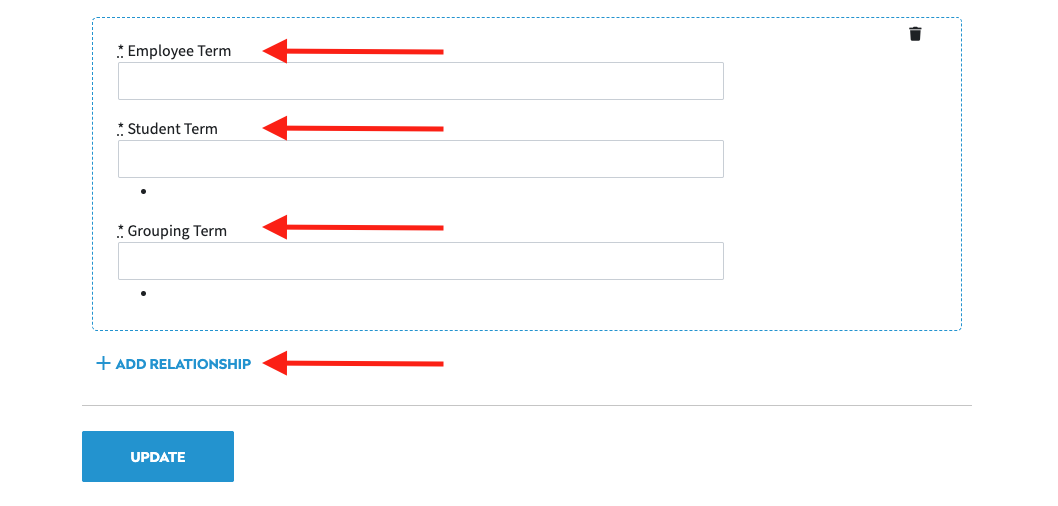
When finished creating Relationships select the “UPDATE” button.